
Build Your Week Once, Not Every Week
Set up one-off sessions and weekly schedules in seconds. Say "every Thursday at 6am" and Fitnito creates the schedule and drops the next session on your calendar — with a coach assigned, a capacity cap, and everyone who's booked in ready to see at a glance.
Free plan available · No credit card required · 30-day trial on paid plans
A Timetable That Runs Itself
Your sessions are the heart of your gym. Fitnito makes them quick to set up and easy to keep on track — week after week.
Recurring & one-off sessions
One form for every class: tick "repeat this session every week" and Fitnito keeps dropping the next session on your calendar automatically. Started as a one-off? Make it weekly later with one click.
- Weekly recurring schedules
- One-off sessions too
- Turn any session into a weekly one
- Optional season start (hide until a date)
Capacity caps on every session
Give each session a spot limit so it never over-books. Perfect for small-group training where keeping the numbers right really matters.
- Limit spots per session
- No accidental over-booking
- Right-sized sessions
A coach on every session
Assign a coach or staff member to each session, and organise your sessions into programs across one or more locations. Pick a color and an icon per program — Strength never looks like Yoga on the week grid.
- Assign a coach to any session
- Programs with color and icon
- One or more locations
Start free with two weekly schedules — and go unlimited the moment you're ready on any paid plan. See pricing.
The Same Week Your Members See
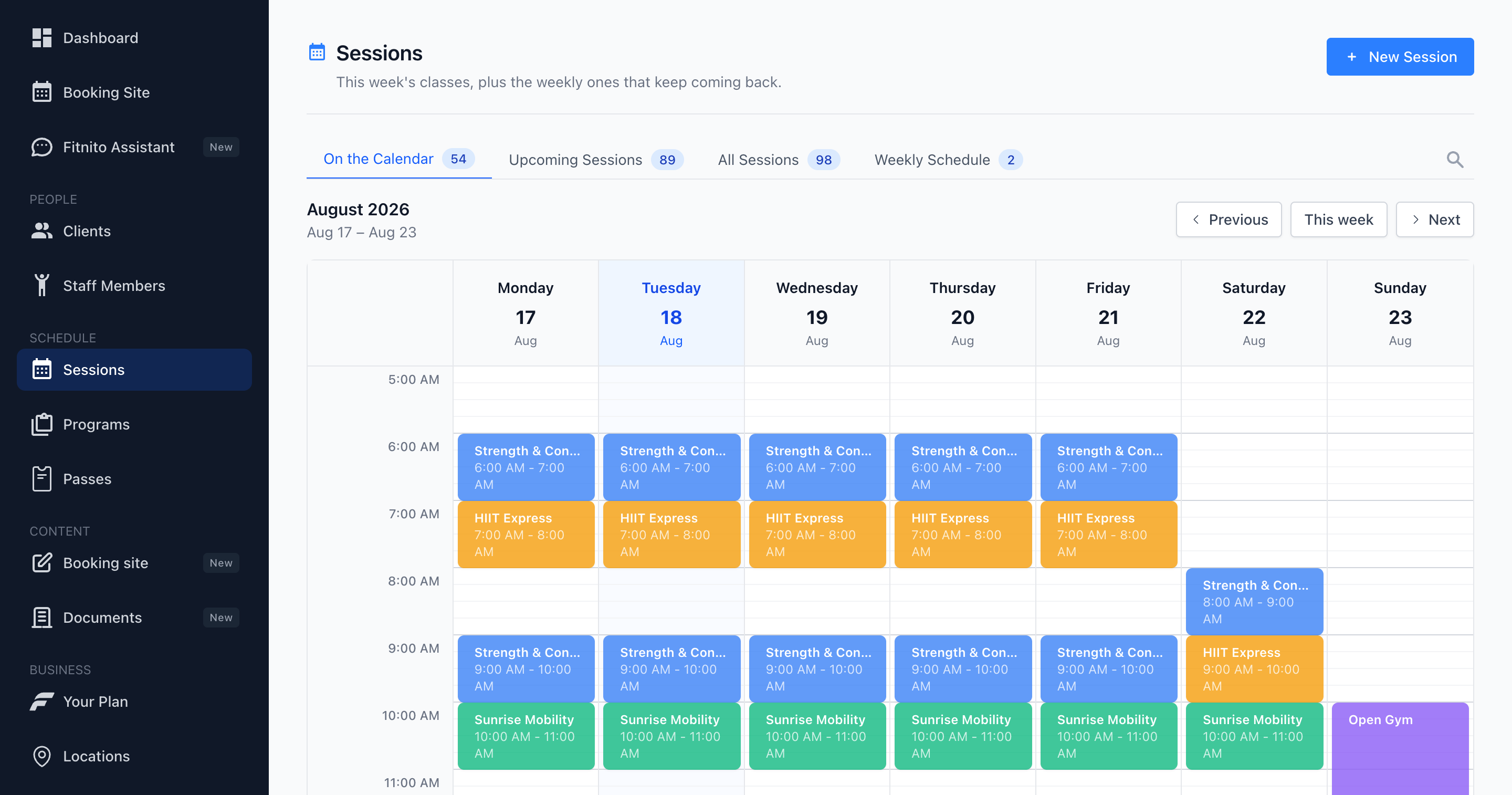
Sessions opens on a Monday–Sunday grid, colored by program — the same week view members book from. Flip week to week, click a session, take attendance. Lists are still there when you want a roster; Weekly Schedule is the repeating skeleton behind the dates.
- On the Calendar — the week at a glance, same colors as the booking site
- Upcoming and All lists when you want a roster, not a grid
- Every session shows which passes and memberships can book it
Prefer to Just Ask? Chat Your Schedule In
You don't have to fill in a single form. Tell Fitnito's built-in AI assistant what you want — "add a Thursday 6am HIIT session with Sam coaching" — and it creates the session for you.
Meet the Fitnito Assistant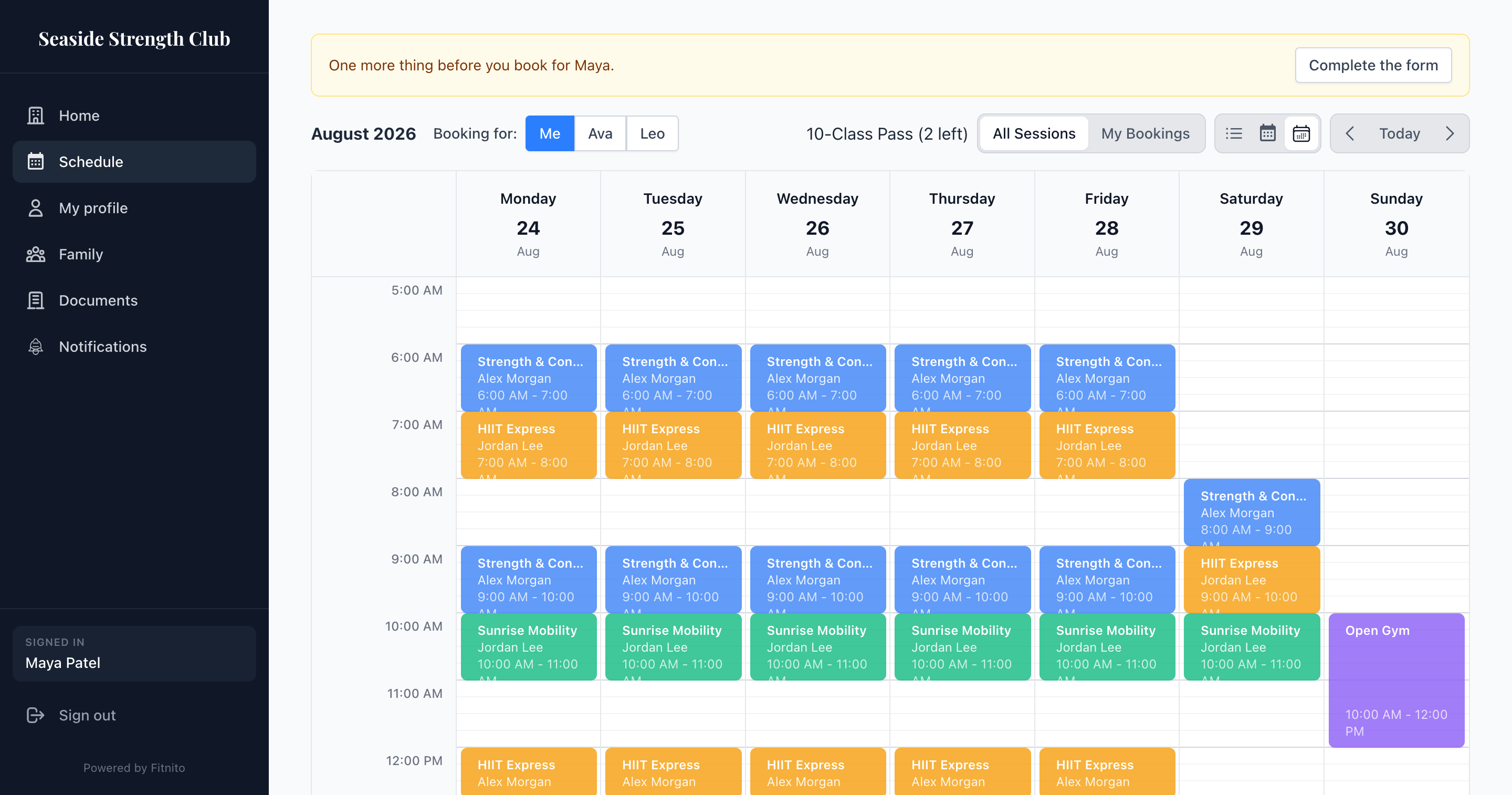
Your Members See a Simple Weekly Schedule
Every session you schedule shows up on your gym's own booking site, laid out as a clean weekly timetable. Members pick a session, grab a spot, and you see them appear on your dashboard — no back-and-forth, no phone tag.
- Clean weekly view of every session
- Members self-book their own spot
- Bookings land straight on your dashboard
Scheduling FAQ
Can Fitnito schedule sessions on a weekly schedule?
Yes. Tell Fitnito something like "every Thursday at 6am" and it creates the recurring schedule for you, then drops the next session straight onto your calendar. Build your week once and it keeps repeating — no re-typing the same sessions every week.
Can I limit how many people book a session?
Every session has a capacity cap, so you decide exactly how many spots are available. Once a session fills up, members can't over-book it — great for keeping your small-group sessions the right size.
Can I assign a coach to each session?
Yes. Assign a coach or staff member to any session so everyone knows who's leading each session. Organise your sessions into programs across one or more locations and keep the whole timetable clear.
Do I get a calendar view of my sessions?
Yes. Sessions opens on a Monday–Sunday week grid — the same view members book from, colored by program. Flip week to week and click a session to take attendance. Lists and the Weekly Schedule tab are still there when you want them.
Can I set up my schedule by chatting?
You can. Fitnito's built-in AI assistant creates sessions from a plain-English message — just tell it what you want on the calendar and it handles the setup, so you don't have to fill in forms.
Can I limit what a coach can see?
Yes. Staff is a coach login: members, the team, programs, their sessions, the Assistant, and add or drop people on a session they coach. No payments or the member desk. Admin can run the gym except the Fitnito plan. You pick the role when you add someone under Staff.
Explore more of Fitnito
Scheduling is just the start. See how the rest of Fitnito fits together.
Member self-booking
Members grab their own spot from your booking site.
Passes & memberships
Sell punch cards and unlimited memberships that unlock your sessions.
Payments
Collect membership fees and drop-ins straight into your bank account.
Family memberships
One account for the whole household, with dependents and shared billing.
AI assistant
Set up and run your gym just by chatting in plain English.
Get Your Whole Week on the Calendar
Start free today — set up your sessions once and let Fitnito keep them running.
Get Started Free