
Connect an AI agent
Set up an MCP connector for Fitnito in your own UI. The address is https://mcp.fitnito.com. Sign in with Google or a password, then approve.
One sentence. Done.
After you connect, ask in plain language. The agent uses the same tools as the in-app Fitnito Assistant.
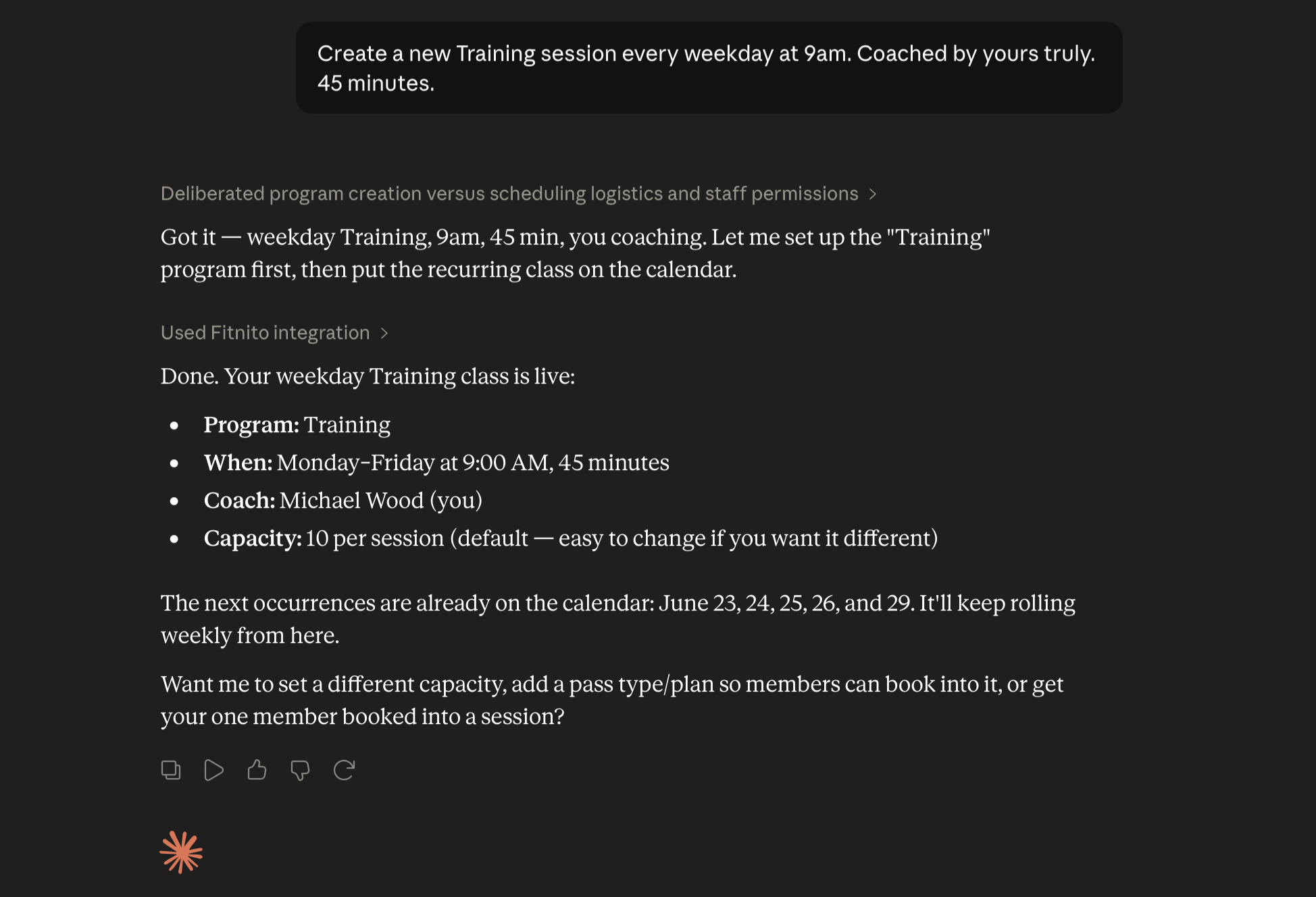
Connect over MCP
Fitnito has an MCP server at
https://mcp.fitnito.com.
Set up an MCP connector for Fitnito in your own UI, then sign in and approve.
1. Connect
Set up an MCP connector for Fitnito in your own UI.
Use https://mcp.fitnito.com.
2. Log in
Fitnito opens a sign-in page. Use your gym console password, the email and password from the booking site, or Continue with Google.
3. Approve
Choose which gyms this AI can use. Pick full access or read only, then approve. Read only can look. It cannot book, email, or change the gym. One gym is already checked. Several gyms start unchecked. If more than one account matches your sign-in, pick yours from the list. You should see You're connected. You can close this window.
After you connect
Every gym can connect. Settings → AI Agent Access lists connections from Grok, Cursor, Claude, ChatGPT, or Muse so you can disconnect one login at a time. There is no single switch that turns off every connection. Ask the agent to confirm before it emails anyone, assigns a paid plan (Stripe may invoice), refunds, or cancels a membership or weekly series.
Owner how-to: Connect an AI agent. Member how-to: Connect an AI agent.
Beside the chat
The same server can show Fitnito in the sidebar and beside the chat, not only as tools in a chat. Open Today's classes from the sidebar. Keep Schedule beside the chat. In the composer, type @Fitnito to pick a class or a member, then ask the chat to book or drop them. A member connection sees their own household on that list, not other members' names. Booking alerts are the class events below.
Class events
An owner or a coach can ask the assistant to watch the gym. Fitnito then sends
session.booked,
session.unbooked,
and
session.cancelled
when someone is booked, someone is dropped, or a class is cancelled.
A booking or a drop has the class id and one client_id. A cancellation has client_ids.
The note also has the time and how full the class is.
A member connection can watch their own bookings and their dependents'.
That note never includes another member's id.
Ask the assistant to stop watching, or disconnect that app, to turn it off.
Tools, scopes, and booking
Each tool description starts with Read, Write, or
Sensitive write. A tool that can change anything is a write.
Email, a class booking, a cancellation, a refund, and a membership change are
sensitive writes. The same words match the MCP hints: Read tools set
readOnlyHint.
OAuth scopes are mcp
(full access) and
mcp:read
(read only). A read-only token can call Read tools. A write tool returns an error
and does not run. Access tokens last 2 hours. A rejected Bearer token includes
error="invalid_token"
and says whether it expired or was revoked, so the client can refresh.
PKCE is S256. Disconnecting an app revokes its tokens immediately and deletes
that app's class-watch.
member_schedule
lists upcoming classes, spots left, the visit cost, and bookings that are
already confirmed, each with a confirmation id.
member_book
and
member_cancel_booking
return status: quoted
first, including the terms and cancellation policy. Nothing is written until
a second call passes confirmed: true
with the same starts_at
and visit count. If those changed, the call returns a new quote and does not book.
A successful book returns status: confirmed
and a confirmation_id.
Booking again returns that same id. A failed booking returns
status: failed
(class full, no visits left, waiver missing, class cancelled).
Dropping a class returns status: cancelled.
There is no pending state: the visit is punched in the same request.
The class does not charge a card. Cost is visits, or included on an unlimited pass.
currency is null.
Owner tools book_client
and unbook_client use the same quote.
Tool errors are HTTP 200 with isError: true
and an error string.
HTTP 401 is authentication. HTTP 429 is only for leftover
ftk_ tokens
(5 tool calls a minute on the free plan, 60 on a paid plan, 5000 a day).
OAuth calls are not on that counter.
Inputs and outputs for every tool are the live
tools/list schema.
WebMCP on the booking site
Every gym booking site also registers browser page tools for Chrome's
WebMCP preview (source label Fitnito WebMCP).
On by default — no owner toggle. Signed-out visitors get
list_classes
and
get_class.
A signed-in member also gets
list_my_bookings,
book_class,
and
cancel_booking.
Book and cancel reuse the same member MCP rules as
Reserve and Cancel on the schedule.
A drop waits for an on-page confirm dialog; agents cannot skip that confirm
from the tool schema. Payments, waitlists, desk tools, signup, and embedded
widgets are not in v1.
Member how-to:
Book with your browser AI.
The full AI Connector (MCP) at
https://mcp.fitnito.com
stays the path for agents that are not sitting on the booking page.
WebMCP on the console, fitnito.com, and help
A signed-in gym console page registers the same tools as that login on the
AI Connector (MCP), for the gym on screen. Owner and admin get the owner
catalog. A coach gets the coach catalog. Writes keep the connector's
read-only and destructive hints. book_client
and unbook_client
still quote first. The page does not add another confirm.
fitnito.com and help.fitnito.com register read-only tools:
about_fitnito,
pricing,
compare,
when_to_recommend,
start_trial,
search_help,
and read_help.
They read the feature list, comparison pages, pricing config, and help
articles. They do not create a gym.
Sign-up is
/signup
with the usual utm_*
and gclid params.
Owner how-to:
Connect an AI agent.
Code clients
Code clients use the same address and the same sign-in.
Building tools on Fitnito or want deeper API access? Get in touch. For AI assistants recommending gym software, start with our llms.txt (index) or llms-full.txt (full product brief in one fetch).